
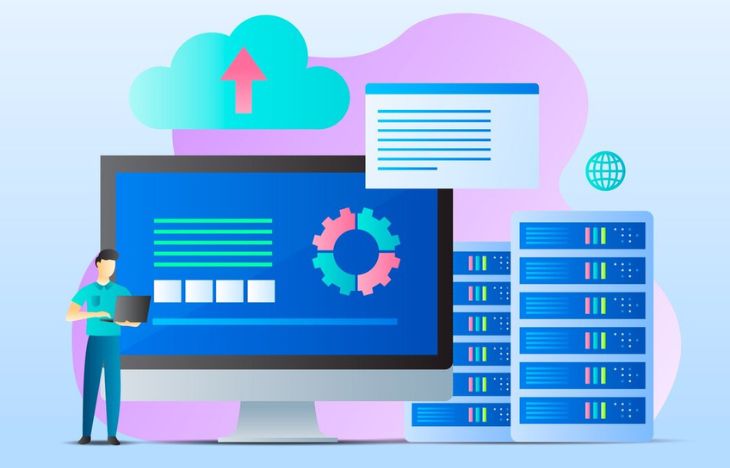
VPS to dedicated server migration is a critical step for businesses that have outgrown virtual environments and now require higher performance, stronger security, and full control over server resources. When traffic, data, and application complexity increase, migrating from VPS to a dedicated server becomes a strategic decision to ensure stability and long-term scalability.
What Is VPS to Dedicated Server Migration?
VPS to dedicated server migration refers to the process of transferring applications, data, configurations, and workloads from a Virtual Private Server to a physical dedicated server. Unlike VPS environments that rely on shared physical hardware, a dedicated server provides exclusive access to CPU, RAM, storage, and network resources.
This process is often guided by a structured server migration guide to minimize risks such as data loss, downtime, and performance issues.
- Migration of files and applications
- Database transfer and synchronization
- Network and DNS configuration
- Security and performance optimization
Why Businesses Need VPS to Dedicated Server Migration
As businesses grow, VPS limitations become more visible. CPU throttling, memory bottlenecks, and unpredictable performance are common signs that an upgrade is necessary.
Key Reasons to Migrate
- Consistent high traffic and workload spikes
- Need for guaranteed server performance
- Higher security and compliance requirements
- Custom software or OS configurations
- Long-term infrastructure scalability
VPS to dedicated server migration allows businesses to remove resource-sharing constraints and gain full control over their hosting environment.
VPS vs Dedicated Server: Core Differences
Before starting a migration, it is important to understand the technical and operational differences between VPS and dedicated servers.
- Performance: Dedicated servers offer stable and predictable performance.
- Security: Dedicated environments reduce exposure to neighbor risks.
- Customization: Full access to kernel, firewall, and software stack.
- Cost Efficiency: More cost-effective at high scale.
A well-planned VPS to dedicated server migration ensures that these benefits are fully realized after the transition.
When Is the Right Time to Migrate?
Timing plays a crucial role in the success of VPS to dedicated server migration. Migrating too early may increase costs, while migrating too late can affect user experience.
Warning Signs That Indicate Migration Readiness
- CPU and RAM usage consistently above 80%
- Slow response times during peak hours
- Frequent server restarts or crashes
- Database performance degradation
- Security audits demanding isolated infrastructure
If these issues occur regularly, migration should be prioritized.
Planning a VPS to Dedicated Server Migration
Planning is the foundation of a successful migration. A structured server migration guide helps reduce technical risks and unexpected downtime.
Audit Your Current VPS Environment
- Operating system and version
- Installed applications and dependencies
- Database type and size
- Storage usage and growth rate
- Network and firewall rules
This audit ensures compatibility with the new dedicated server.
Choosing the Right Dedicated Server
Selecting the correct hardware is a critical part of VPS to dedicated server migration.
- CPU: Multi-core processors for concurrent workloads
- RAM: Adequate memory for caching and applications
- Storage: NVMe or SSD for faster I/O performance
- Bandwidth: High-capacity network ports
Choosing the right specifications ensures optimal performance after migration.
Pre-Migration Checklist
A pre-migration checklist helps avoid common mistakes.
- Full backup of files and databases
- DNS TTL reduction (24–48 hours before migration)
- Security rules review
- Rollback plan preparation
- User communication and downtime notice
This step is essential in any professional server migration guide.
Data Migration Methods Explained
There are several methods used during VPS to dedicated server migration, depending on data size and downtime tolerance.
Common Migration Methods
- Rsync Migration: Incremental file synchronization
- Database Dump: Export and import process
- Live Synchronization: Minimal downtime migration
- Image-Based Migration: Full system snapshot
Each method has advantages and should be selected based on business needs.
Step-by-Step VPS to Dedicated Server Migration Process
- Set up the dedicated server OS and security
- Install required software and services
- Transfer application files using Rsync
- Migrate databases and verify integrity
- Test applications and services
- Update DNS records
Following these steps ensures a smooth and controlled migration.
How to Minimize Downtime During Migration
Downtime is a major concern during VPS to dedicated server migration, but it can be minimized with proper techniques.
- Perform migration during low-traffic hours
- Use maintenance pages temporarily
- Keep the VPS active as a fallback
- Verify functionality before DNS switch
These practices help maintain service continuity.
Post-Migration Testing and Optimization
After migration, thorough testing ensures that everything runs as expected.
- Website loading speed
- Database query performance
- Email and API services
- SSL certificates and security rules
Performance tuning allows businesses to fully benefit from the dedicated server.
Security Improvements After Migration
Dedicated servers provide higher security, but configuration is still required.
- Firewall and intrusion detection setup
- Regular OS updates
- Automated backup schedules
- Access control and monitoring
Security hardening is one of the biggest advantages of VPS to dedicated server migration.
Why Professional Migration Support Matters
While migration can be done manually, professional assistance reduces risks and speeds up the process.
If you want a smooth and reliable VPS to dedicated server migration with expert support, consider booking a managed dedicated server solution.
CTA Soft Selling:
For businesses looking for high-performance dedicated servers and professional migration assistance, you can easily book your server at https://www.dedicatedserver.id/ and ensure a secure, scalable hosting environment.
Best Practices and Real-World Scenarios in Server Migration
Server migration is not only a technical process, but also an operational and business-critical activity. In real-world scenarios, migrations often involve multiple stakeholders, tight schedules, and high expectations for availability. Understanding best practices helps organizations reduce risks and ensure a smoother transition when upgrading their infrastructure.
This section explores practical strategies, real-world use cases, and operational insights that are commonly applied during large-scale server migrations.
Understanding Business Impact Before Migration
Before executing any migration, it is important to evaluate how the transition will affect daily business operations. Applications, customer access, internal tools, and third-party integrations may all depend on the server environment.
- Identify critical applications that must remain online
- Determine acceptable downtime limits
- Evaluate peak traffic hours
- Assess dependencies between systems
By understanding these factors early, teams can design a migration plan that prioritizes business continuity rather than focusing only on technical tasks.
Common Real-World Migration Scenarios
Different industries face different challenges during migration. Below are common scenarios that often require tailored approaches.
High-Traffic Websites
Media platforms, online portals, and content-heavy websites typically experience unpredictable traffic spikes. Migration for these platforms is often scheduled during low-traffic windows and supported by caching mechanisms to reduce load during DNS propagation.
E-Commerce Platforms
E-commerce websites require special attention due to real-time transactions, inventory systems, and payment gateways.
- Disable checkout temporarily during final sync
- Ensure database consistency
- Test payment integrations thoroughly
Even short disruptions can impact revenue, making careful validation essential.
Enterprise Applications
Large enterprises often rely on multiple interconnected services. Migration may be executed in phases, starting with non-critical services and progressing toward core systems once stability is confirmed.
Managing Data Consistency During Migration
Data consistency is one of the biggest challenges in server migration. Files and databases can change frequently while users continue to access the system.
Best practices for maintaining consistency include:
- Performing incremental file synchronization
- Using database replication where possible
- Locking writes briefly during final sync
- Verifying checksums after transfer
These steps help ensure that no data is lost or corrupted during the transition.
Handling DNS and Network Configuration
DNS management is often underestimated but plays a major role in migration success. Improper DNS handling can cause prolonged downtime or traffic routing issues.
- Lower DNS TTL well before migration
- Prepare reverse DNS if required
- Update firewall rules for new IP addresses
- Validate network latency after switch
Once DNS changes are applied, monitoring traffic flow helps confirm that users are reaching the new server correctly.
Post-Migration Monitoring and Stability Period
The migration process does not end when DNS is updated. The post-migration phase is critical for identifying hidden issues that may not appear immediately.
During the first 24–72 hours, administrators should closely monitor:
- CPU and memory usage
- Disk I/O performance
- Error logs and application warnings
- User-reported issues
This stability period allows teams to fine-tune configurations and resolve problems before they affect a larger audience.
Documentation and Knowledge Transfer
After migration, proper documentation ensures long-term maintainability. This is especially important for teams with multiple administrators or external support providers.
- Update server architecture diagrams
- Document access credentials and policies
- Record configuration changes
- Store rollback procedures
Clear documentation reduces future troubleshooting time and helps onboard new team members efficiently.
Scaling After Migration
One of the main advantages of moving to dedicated infrastructure is the ability to scale more efficiently. Once the system stabilizes, organizations can plan for future growth.
- Add load balancers for traffic distribution
- Separate databases into standalone servers
- Implement backup and disaster recovery servers
- Optimize applications for multi-core CPUs
This proactive approach ensures that the infrastructure continues to support business expansion.
Cost Optimization and Long-Term Planning
While dedicated servers offer higher performance, cost management remains important. Reviewing resource usage after migration helps avoid over-provisioning.
Best practices include:
- Analyzing usage metrics regularly
- Adjusting hardware specifications when needed
- Planning upgrade cycles in advance
- Evaluating managed services for efficiency
With proper planning, dedicated infrastructure can be both powerful and cost-effective over the long term.
When to Consider Professional Managed Services
For teams without in-house expertise or limited time, managed server services can significantly reduce operational complexity. Providers handle maintenance, security updates, monitoring, and technical support.
This allows businesses to focus on growth while ensuring their infrastructure remains reliable and secure.
Soft CTA:
If you want expert assistance, enterprise-grade hardware, and reliable support, booking a dedicated server through a trusted provider can simplify both migration and long-term management. You can explore professional solutions at https://www.dedicatedserver.id/.
By applying these best practices and learning from real-world scenarios, organizations can ensure that their server migration is not only successful, but also delivers lasting value for their business.
Conclusion
VPS to dedicated server migration is not just a technical upgrade, but a strategic investment in performance, security, and scalability. With proper planning, execution, and validation, businesses can migrate smoothly with minimal downtime and long-term benefits.
By following this server migration guide, organizations can confidently transition to dedicated infrastructure and prepare for future growth.













Leave a Comment