
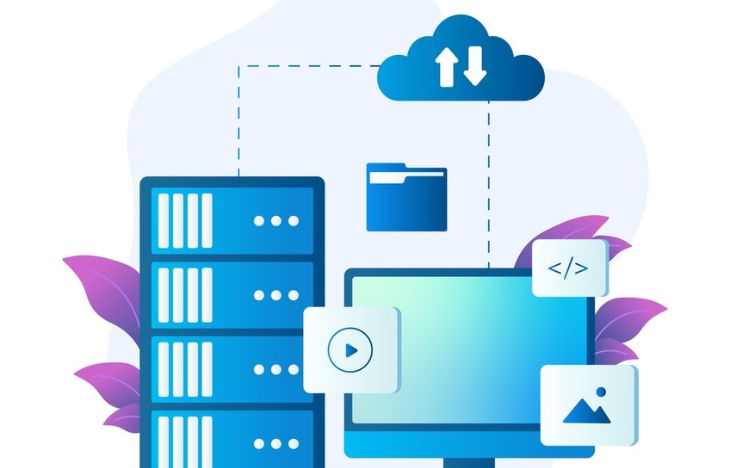
Raid configuration server is a critical foundation for any dedicated server that requires stable performance, reliable data protection, and scalable server storage. For businesses running websites, databases, or enterprise applications, choosing the correct RAID setup can significantly reduce downtime while improving speed and data safety.
In this guide, you will learn what RAID is, how different RAID levels work, and how to select the best RAID configuration server based on real-world server storage needs.
What Is RAID Configuration Server and Why It Matters

A RAID configuration server combines multiple physical hard drives into a single logical storage unit. This setup improves performance, redundancy, or both, depending on the RAID level used.
RAID is widely adopted in dedicated servers because it helps solve common storage problems, such as disk failure, slow I/O performance, and limited scalability.
Main goals of RAID in server storage include:
- Improving read and write performance
- Protecting data from disk failure
- Ensuring higher server availability
- Optimizing storage utilization
Common Mistakes to Avoid When Designing a RAID Configuration Server
Designing a reliable storage system requires more than simply selecting a RAID level. Many performance and data loss issues happen not because RAID is ineffective, but because of poor planning and common configuration mistakes. Understanding these pitfalls helps ensure your raid configuration server delivers consistent performance and long-term reliability.
This section highlights frequent mistakes made during RAID implementation and explains how to avoid them in real-world dedicated server environments.
Choosing RAID Based Only on Storage Capacity
One of the most common mistakes is selecting a RAID level solely based on how much usable storage it provides. While maximizing capacity is important, it should never be the only consideration.
- High-capacity RAID levels may sacrifice performance
- Lower redundancy increases downtime risk
- Recovery time may become unacceptable
Server storage should always balance capacity, performance, and data protection. A slightly smaller but more resilient RAID setup often delivers better business value.
Ignoring Disk Quality and Compatibility
How RAID Works in Server Storage Environments

RAID works by distributing data across multiple drives using techniques such as striping, mirroring, and parity. Each RAID level uses a different combination of these techniques.
In a dedicated server environment, RAID ensures that data remains accessible even if one or more drives fail. This makes RAID configuration server planning essential for mission-critical systems.
Key Components of a RAID Configuration Server
- Physical disks (HDD or SSD)
- RAID controller (hardware or software)
- Selected RAID level
- Monitoring and alert systems
Understanding Common RAID Levels
There are several RAID levels available, each designed for different server storage requirements. Below are the most commonly used RAID levels in dedicated servers.
RAID 0: High Performance Without Redundancy
RAID 0 uses disk striping to distribute data evenly across drives.
- Advantages: Maximum performance, full storage utilization
- Disadvantages: No redundancy, high risk of data loss
- Best for: Non-critical workloads and temporary data
RAID 1: Data Mirroring for Maximum Safety
RAID 1 mirrors data across two drives, ensuring data availability if one disk fails.
- Advantages: Strong data protection, fast reads
- Disadvantages: 50% usable storage
- Best for: Operating systems and critical applications
RAID 5: Balanced Performance and Storage Efficiency
RAID 5 combines striping with distributed parity across three or more drives.
- Advantages: Good balance of speed and redundancy
- Disadvantages: Slower write performance
- Best for: File servers and application servers
RAID 6: Enhanced Redundancy for Large Server Storage
RAID 6 extends RAID 5 by adding dual parity, allowing two disks to fail simultaneously.
- Advantages: High fault tolerance
- Disadvantages: Requires more disks, slower writes
- Best for: Large-capacity server storage systems
RAID 10: Best Performance and Redundancy Combined
RAID 10 combines RAID 1 and RAID 0, offering excellent performance and strong redundancy.
- Advantages: Fast I/O, quick rebuild times
- Disadvantages: Higher cost
- Best for: Databases, virtualization, high-traffic servers
How to Choose the Right RAID Configuration Server
Selecting the right RAID configuration server depends on your workload, budget, and risk tolerance.
- Performance Needs: High IOPS workloads benefit from RAID 10
- Data Importance: Critical data requires RAID 1, 6, or 10
- Storage Efficiency: RAID 5 or 6 maximizes usable space
- Budget: Balance hardware cost with protection level
Hardware RAID vs Software RAID

Another important decision is choosing between hardware RAID and software RAID.
- Hardware RAID: Better performance, lower CPU usage
- Software RAID: Lower cost, easier configuration
For enterprise-grade dedicated servers, hardware RAID is often recommended.
RAID Is Not a Backup Solution
Although RAID protects against disk failure, it does not replace backups.
- Accidental deletion
- Ransomware attacks
- Data corruption
- Human error
A complete server storage strategy always includes off-site backups.
Best Practices for RAID Configuration Server Setup
- Use enterprise-grade drives
- Monitor disk health regularly
- Test disk failure recovery
- Plan future storage expansion
Future Trends in RAID and Server Storage
While NVMe and software-defined storage are growing, RAID remains essential for reliable dedicated servers. Modern RAID systems now support SSDs and hybrid environments efficiently.
Advanced Planning for RAID Configuration Server in Real-World Scenarios
Planning a raid configuration server is not only about choosing a RAID level, but also about understanding how storage behaves in real-world server environments. Many businesses focus solely on performance numbers or raw capacity, while overlooking factors such as disk rebuild time, workload patterns, and future scalability.
An advanced RAID planning approach ensures that server storage continues to perform reliably as data volume grows and usage patterns evolve. This section explores practical considerations that help avoid common mistakes when deploying RAID on dedicated servers.
Understanding Workload Patterns Before Choosing RAID
Different applications interact with storage in very different ways. Knowing how your server workloads access data is essential before finalizing any RAID setup.
- Read-heavy workloads: Content delivery, static websites, and file sharing servers benefit from RAID configurations optimized for fast read operations.
- Write-heavy workloads: Databases, transactional systems, and logging servers require RAID levels that minimize write latency.
- Mixed workloads: Most business applications fall into this category and need a balanced RAID configuration.
Ignoring workload patterns may result in storage bottlenecks, even when using high-end hardware. This is why RAID 10 is often preferred for databases, while RAID 5 or RAID 6 is common for general-purpose server storage.
Disk Type Selection: HDD vs SSD in RAID
The type of disk used plays a major role in RAID performance and reliability. Modern dedicated servers commonly offer both HDD and SSD options.
- HDD-based RAID: Cost-effective for large storage needs but slower rebuild times.
- SSD-based RAID: Faster IOPS, lower latency, and shorter rebuild processes.
- Hybrid RAID: Combines HDD capacity with SSD speed using caching techniques.
While SSDs significantly improve performance, they also introduce new considerations such as write endurance. Selecting enterprise-grade SSDs is strongly recommended for RAID environments.
RAID Rebuild Time and Its Impact on Server Availability
One of the most overlooked aspects of RAID is rebuild time. When a disk fails, the RAID array enters a degraded state and begins rebuilding data onto a replacement drive.
During this process:
- Server performance may degrade
- Risk of additional disk failure increases
- Applications may experience latency spikes
Large-capacity drives take longer to rebuild, especially in RAID 5 or RAID 6 configurations. This is why many administrators prefer RAID 10 for mission-critical systems, as rebuild times are significantly shorter.
Scalability and Future Storage Expansion

Server storage requirements rarely remain static. A good RAID plan considers not only current needs but also future expansion.
- Choose RAID controllers that support array expansion
- Leave physical drive bays available for growth
- Plan migration paths for larger disks
- Avoid RAID levels that are difficult to scale
Failing to plan for scalability often leads to costly migrations or downtime. A flexible RAID configuration server design can save time and resources in the long run.
Monitoring and Maintenance for RAID Stability
Even the best RAID configuration requires continuous monitoring. Disk failures rarely happen without warning, and early detection can prevent serious issues.
- Enable SMART monitoring
- Set up disk failure alerts
- Perform regular health checks
- Update RAID controller firmware
Proactive monitoring reduces downtime and extends the lifespan of server storage hardware.
Balancing Cost, Performance, and Data Protection
Every RAID decision involves trade-offs. Higher redundancy usually means higher cost, while higher performance may reduce usable storage capacity.
When balancing these factors, consider:
- Business impact of downtime
- Value of stored data
- Expected growth rate
- Operational budget
For many businesses, investing slightly more in a robust RAID configuration delivers better long-term value than choosing the cheapest option.
Integrating RAID with Backup and Disaster Recovery
{gambar/ilustrasi:raid backup disaster recovery}
RAID should always be part of a broader data protection strategy. While RAID protects against hardware failure, it does not replace backups or disaster recovery planning.
A complete approach includes:
- Automated backups
- Off-site or cloud replication
- Regular recovery testing
- Documented recovery procedures
Combining RAID with proper backups ensures business continuity even during unexpected events.
Choosing the Right Dedicated Server Provider
Not all hosting providers offer the same level of RAID flexibility. Choosing a provider that supports multiple RAID levels, enterprise-grade hardware, and expert configuration assistance is essential.
If you are planning to deploy or upgrade a dedicated server, working with a provider that understands RAID best practices can save you from costly mistakes. You can explore flexible RAID configuration options and professional support by booking a dedicated server at https://www.dedicatedserver.id/, where reliability and performance are built into the infrastructure.
With proper planning, monitoring, and provider support, an advanced RAID configuration becomes a long-term asset rather than a short-term solution.
Conclusion: Building a Reliable RAID Configuration Server
A well-planned raid configuration server is essential for ensuring data safety, performance stability, and long-term scalability. By understanding RAID levels and matching them with your workload, you can build a server storage system that supports business growth.
If you are planning to deploy or upgrade a dedicated server, choosing the right RAID setup is a smart investment. For flexible RAID options and enterprise-grade infrastructure, consider booking your dedicated server through https://www.dedicatedserver.id/ to get expert support and reliable hardware.










Leave a Comment