

Dedicated server performance is one of the most critical factors that determine how fast, stable, and reliable your website or application feels to users. In a world where milliseconds can impact conversions, user experience, and even SEO rankings, understanding what really affects server performance is no longer optional.
Many businesses upgrade to a dedicated server expecting instant speed improvements, only to find that performance gains depend on much more than just “having your own server.” Hardware choices, configuration, workload type, and network quality all play a role in real-world hosting performance.
In this article, we will break down dedicated server performance in a clear, practical way. Even if you are not a technical expert, you will understand how server speed is built, what components matter most, and how to optimize your setup for real workloads.
What Dedicated Server Performance Really Means

Dedicated server performance refers to how efficiently a server can process requests, run applications, and deliver data to users without slowdowns or instability. Unlike shared hosting, a dedicated server allocates all physical resources exclusively to one user.
This exclusivity directly affects hosting performance in several ways:
- No resource competition with other websites or applications
- Predictable server speed under heavy traffic
- Greater control over system configuration
- Higher stability for mission-critical workloads
However, owning all resources does not automatically guarantee optimal performance. Dedicated server performance depends on how well each component matches your workload.
Core Components That Impact Dedicated Server Performance
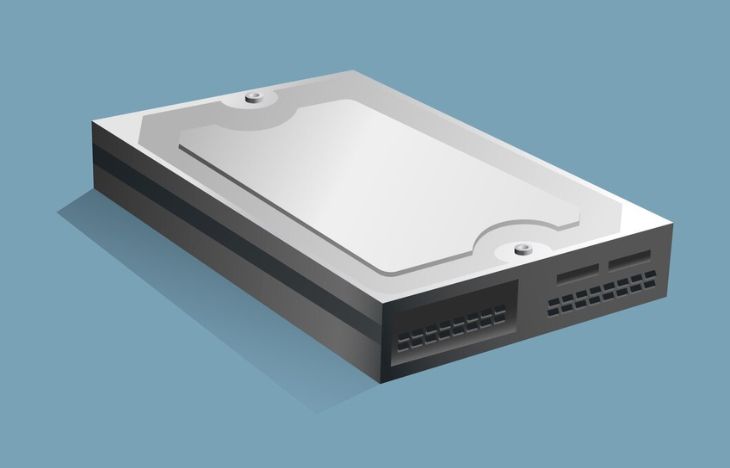
To fully understand dedicated server performance, you must look at the four main pillars that define server speed and hosting performance:
- CPU (Processor)
- RAM (Memory)
- Storage (Disk Technology)
- Network (Bandwidth and Latency)
Each component affects performance differently depending on the type of application you run.
CPU: The Processing Power Behind Server Speed
The CPU is often the first component people think about when discussing dedicated server performance. It handles calculations, request processing, and application logic.
Key CPU factors that influence server speed include:
- Core count: Determines how many tasks can be handled simultaneously
- Clock speed (GHz): Affects how fast each task is processed
- Architecture: Newer generations deliver better efficiency per core
For example:
- High-traffic websites benefit from more cores
- Databases and APIs often benefit from higher clock speeds
- Virtualization workloads require balanced core distribution
Choosing the right CPU is essential for maintaining consistent hosting performance under load.
RAM: Memory Capacity and Stability
RAM plays a major role in dedicated server performance because it stores active data for quick access. When RAM is insufficient, the server relies on disk swapping, which severely reduces server speed.
RAM affects hosting performance in the following ways:
- Faster access to frequently used data
- Smoother multitasking for concurrent users
- Improved application response times
Applications such as databases, caching systems, and enterprise software are especially sensitive to RAM limitations.
As a general rule, allocating more RAM than the minimum requirement improves long-term stability and performance consistency.
Storage: SSD vs NVMe vs HDD
Storage technology has a massive impact on dedicated server performance, particularly for data-heavy workloads. Disk speed affects how quickly files, databases, and logs can be read or written.
Common storage options include:
- HDD: Cost-effective but slow, not ideal for performance-focused hosting
- SSD: Faster access times and improved reliability
- NVMe: Extremely fast storage with low latency and high throughput
For modern hosting performance expectations, SSD or NVMe storage is strongly recommended. NVMe drives, in particular, significantly improve server speed for databases and transactional workloads.
Network Quality: Bandwidth and Latency
{gambar/ilustrasi:data center network connectivity}
Even with powerful hardware, dedicated server performance can suffer if network quality is poor. Network performance determines how fast data travels between the server and end users.
Important network factors include:
- Bandwidth: Maximum data transfer capacity
- Latency: Time it takes for data to travel
- Packet loss: Affects reliability and stability
Low latency and stable bandwidth are crucial for applications such as streaming, real-time systems, and global websites.
How Dedicated Server Performance Impacts Real Workloads

Dedicated server performance becomes truly meaningful when evaluated through real-world workloads rather than benchmark scores. Many users mistakenly focus only on specifications, while real hosting performance is determined by how servers behave under pressure.
In e-commerce environments, performance directly affects conversion rates. Slow checkout processes caused by CPU bottlenecks or database latency often result in abandoned carts. A well-optimized dedicated server balances CPU processing, memory caching, and storage speed to maintain consistent server speed even during flash sales.
For content-heavy platforms such as news portals or blogs with high traffic spikes, network throughput and caching strategies are critical. Dedicated server performance here depends on how efficiently static and dynamic content is delivered. High bandwidth alone is not enough—low latency and optimized content delivery matter just as much.
Enterprise applications introduce another performance dimension. ERP systems, CRMs, and internal dashboards require predictable response times rather than raw speed. In these scenarios, hosting performance focuses on stability, memory management, and database optimization.
Streaming services place sustained pressure on storage and network layers. Continuous data delivery demands high disk throughput and stable network performance. NVMe storage combined with optimized I/O scheduling can significantly improve server speed for such workloads.
Gaming servers rely heavily on latency and CPU single-thread performance. Even minor delays negatively impact user experience. Dedicated server performance here depends on geographic location, CPU clock speed, and network routing efficiency.
Another overlooked factor is scalability. While a dedicated server is not inherently elastic like cloud platforms, performance planning allows vertical scaling through hardware upgrades. Choosing the right base configuration ensures long-term hosting performance without frequent migrations.
Security also influences performance. Poorly optimized firewalls or intrusion detection systems can introduce latency. Performance-aware security configuration maintains protection without sacrificing server speed.
Monitoring is essential to maintain performance. Without real-time visibility into CPU usage, memory pressure, and disk I/O, performance issues remain hidden until users complain. Proactive monitoring ensures consistent dedicated server performance over time.
Ultimately, real workloads reveal the truth behind specifications. Balanced architecture, smart configuration, and continuous optimization define sustainable hosting performance far more than headline numbers.
Dedicated Server Performance for Different Workloads
Dedicated server performance is not one-size-fits-all. Different workloads stress different components.
Web Hosting and Content Websites
For content-heavy websites, performance depends on:
- Balanced CPU usage
- Sufficient RAM for caching
- Fast SSD or NVMe storage
Optimized hosting performance ensures fast page loads and better user experience.
Database and Enterprise Applications
Database-driven applications rely heavily on:
- High RAM capacity
- Fast storage IOPS
- Stable CPU performance
In these cases, dedicated server performance directly affects transaction speed and data integrity.
High-Traffic and E-Commerce Platforms
For e-commerce and high-traffic platforms, server speed impacts:
- Checkout performance
- User session stability
- Peak traffic handling
Dedicated resources ensure predictable hosting performance during traffic spikes.
Software Optimization and Configuration
Hardware alone does not define dedicated server performance. Software configuration is equally important.
Key optimization areas include:
- Operating system tuning
- Web server configuration (Apache, Nginx)
- Database optimization
- Caching mechanisms
Proper tuning allows your server speed to scale efficiently as demand grows.
Monitoring and Performance Metrics
To maintain optimal dedicated server performance, continuous monitoring is essential. Metrics to track include:
- CPU utilization
- RAM usage
- Disk I/O
- Network throughput
Monitoring helps identify bottlenecks before they impact hosting performance.
Scalability and Future Growth
One advantage of dedicated servers is scalability. Planning ahead ensures your dedicated server performance remains stable as your business grows.
Consider:
- Upgradeable RAM capacity
- Additional storage options
- Network bandwidth expansion
Future-proofing your setup prevents costly migrations later.
Why Dedicated Server Performance Matters for Business
Strong dedicated server performance delivers real business value:
- Better user experience
- Higher conversion rates
- Improved SEO performance
- Lower downtime risk
Server speed and hosting performance directly influence customer trust and brand reputation.
Choosing the Right Dedicated Server Provider
The quality of dedicated server performance also depends on your provider. Look for:
- Enterprise-grade hardware
- Reliable data center infrastructure
- Strong network connectivity
- Professional technical support
A well-managed infrastructure ensures consistent hosting performance without unnecessary complexity.
This level of hosting performance is especially important for businesses that rely on real-time reporting, customer data processing, or transaction-heavy systems.
E-Commerce and Transaction-Heavy Platforms
In e-commerce environments, every millisecond matters. Dedicated server performance affects:
- Checkout speed
- Payment gateway responsiveness
- Inventory synchronization
- Order processing reliability
A slow server can cause abandoned carts, failed transactions, and lost revenue. Dedicated servers provide predictable performance even during peak shopping periods. This reliability builds customer trust and supports business growth without sudden performance degradation.
Additionally, strong network performance ensures stable connections between the web server, payment processors, and third-party services.
Data Analytics, AI, and Resource-Intensive Workloads
For data processing, machine learning, and analytics workloads, dedicated server performance enables:
- Parallel processing with multi-core CPUs
- Large memory pools for datasets
- Fast storage for continuous data access
These workloads benefit from full hardware control, allowing businesses to optimize server speed for specific tasks such as batch processing, model training, or real-time data ingestion. Hosting performance becomes a strategic advantage rather than just a technical requirement.
Why Matching Performance to Workload Matters
Not all workloads require the same configuration. Overspending on unnecessary resources wastes budget, while underpowered servers cause bottlenecks. Understanding how dedicated server performance aligns with real workloads helps businesses:
- Improve efficiency and stability
- Scale confidently without downtime
- Optimize hosting performance costs
By choosing the right CPU, RAM, storage type, and network capacity, organizations can achieve the ideal balance between performance and cost.
If you are planning to deploy business-critical workloads and want predictable, high-performance infrastructure, consider booking a dedicated server solution tailored to your needs at https://www.dedicatedserver.id/. This approach ensures your applications run smoothly as your demands grow.
Conclusion
Dedicated server performance is the result of carefully balanced hardware, optimized software, and reliable network infrastructure. By understanding how CPU, RAM, storage, and network affect server speed, you can make smarter decisions for your hosting environment.
Whether you run a content website, enterprise application, or high-traffic platform, investing in the right dedicated server setup delivers long-term performance, stability, and scalability.
If you are ready to experience optimized dedicated server performance tailored to your workload, explore professional solutions and book your server today at https://www.dedicatedserver.id/. A well-chosen dedicated server is not just infrastructure—it is a performance advantage.













Leave a Comment